本帖最后由 师太 于 2020-4-9 22:05 编辑
最近一直在使用方糖推送,看到LOC大佬的企业微信推送感觉NB,隧稍作修改发上来分享给大家食用~
LOC大佬的GITHUB:https://github.com/kaixin1995/InformationPush
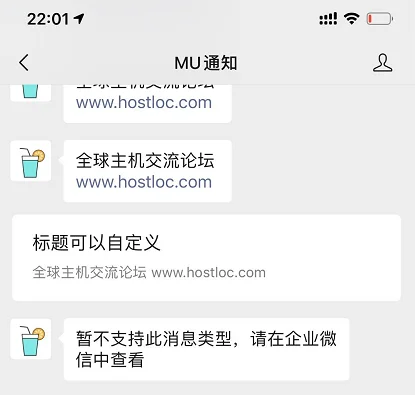
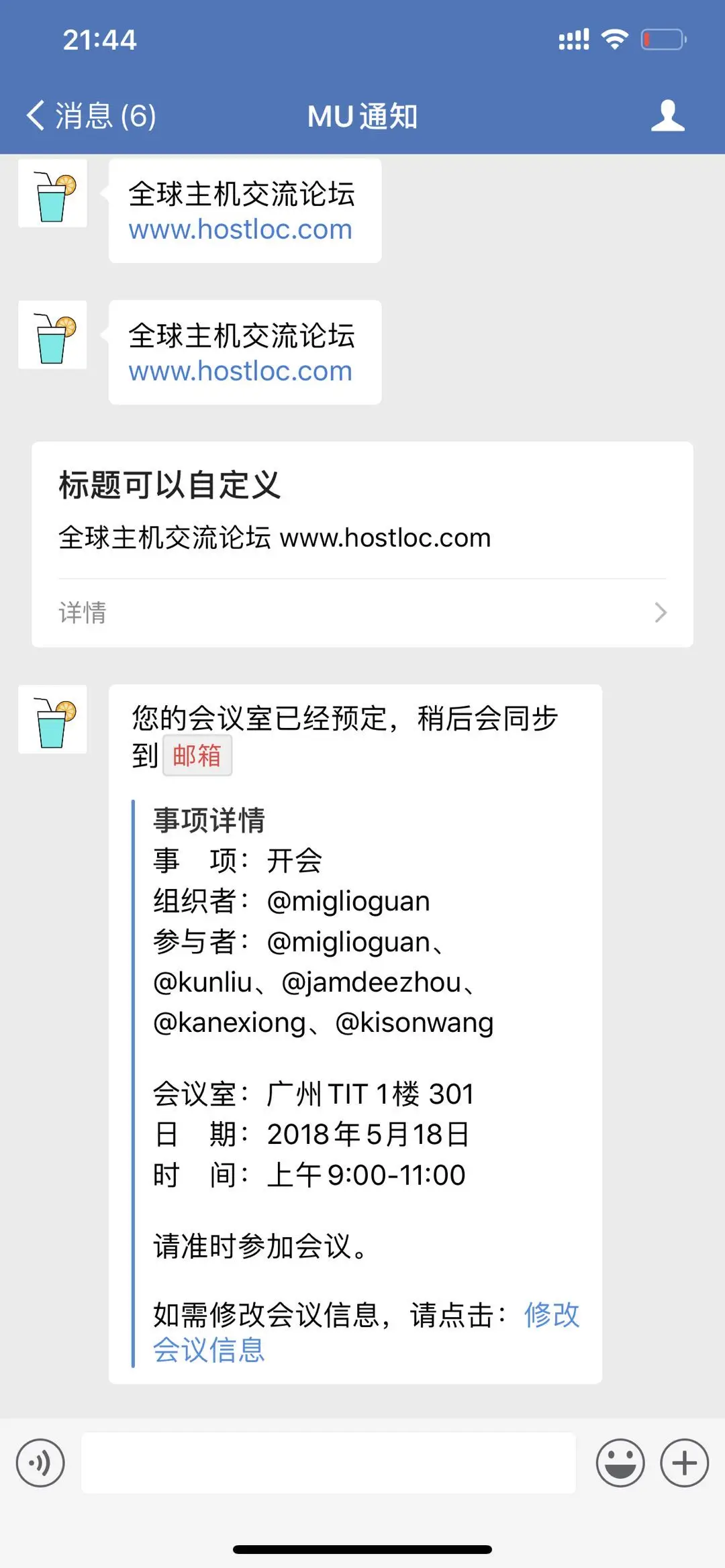
大佬的目前仅支持卡片(我知道大佬是懒得写),稍作修改之后目前支持文字推送,卡片推送,和markdown推送(markdown仅支持在企业微信客户端内使用,普通微信仅支持文字和卡片推送)
使用方法:
1、创建一个PHP文件,复制下方代码进去保存,上传至服务器
2、注册一个企业微信,很简单,参考大佬教程 https://github.com/kaixin1995/InformationPush
普通文字:http://域名/index.php?msg=测试提交
卡片消息:http://域名/index.php?type=textcard&msg=测试提交
(支持自定义卡片URL和btntxt,http://hostloc-workers.ikyomon.com&btntxt=更多)
markdown:http://域名/index.php?type=markdown&msg=markdown内容,需urlencode后提交
- <?php
- if(!isset($_REQUEST['msg'])) { exit; }
- $corpid = ''; // 填写企业ID
- $agentid = ''; // 填写应用ID
- $corpsecret = ''; // 填写应用Secret
- $access_token = json_decode(icurl("https://qyapi.weixin.qq.com/cgi-bin/gettoken?corpid=$corpid&corpsecret=$corpsecret"),true)["access_token"];
- $url = "https://qyapi.weixin.qq.com/cgi-bin/message/send?access_token=".$access_token;
- $msg = urldecode($_REQUEST['msg']);
- $type = $_REQUEST['type'];
- switch ($type) {
- // 文本卡片消息
- case 'textcard':
- $data = array(
- 'touser' => '@all',
- 'toparty' => '@all',
- 'totag' => '@all',
- 'msgtype' => 'textcard',
- 'agentid' => $agentid,
- 'textcard' => array(
- 'title' => $_REQUEST['title'] ?? '新提醒',
- 'description' => $msg,
- 'url' => $_REQUEST['url'] ?? 'https://hostloc-workers.ikyomon.com',
- 'btntxt' => $_REQUEST['btntxt'] ?? '详情',
- ),
- 'enable_id_trans' => 0,
- 'enable_duplicate_check' => 0,
- 'duplicate_check_interval' => 1800,
- );
- break;
- // markdown消息,仅企业微信内可以查看
- case 'markdown':
- $data = array(
- 'touser' => '@all',
- 'toparty' => '@all',
- 'totag' => '@all',
- 'msgtype' => 'markdown',
- 'agentid' => $agentid,
- 'markdown' => array(
- 'content' => $msg,
- ),
- 'enable_duplicate_check' => 0,
- 'duplicate_check_interval' => 1800,
- );
- break;
- // 文本消息
- default:
- $data = array(
- 'touser' => '@all',
- 'toparty' => '@all',
- 'totag' => '@all',
- 'msgtype' => 'text',
- 'agentid' => $agentid,
- 'text' => array(
- 'content' => $msg,
- ),
- 'safe' => 0,
- 'enable_id_trans' => 0,
- 'enable_duplicate_check' => 0,
- 'duplicate_check_interval' => 1800,
- );
- break;
- }
- $res = json_decode(icurl($url,json_encode($data)));
- if ( $res->errcode == 0 ) { echo "Success"; } else { echo "Error:".$res->errmsg; }
- function icurl($url, $data = null)
- {
- $curl = curl_init();
- curl_setopt($curl, CURLOPT_URL, $url);
- curl_setopt($curl, CURLOPT_SSL_VERIFYPEER, FALSE);
- curl_setopt($curl, CURLOPT_SSL_VERIFYHOST, FALSE);
- if (!empty($data)) {
- curl_setopt($curl, CURLOPT_POST, 1);
- curl_setopt($curl, CURLOPT_POSTFIELDS, $data);
- }
- curl_setopt($curl, CURLOPT_RETURNTRANSFER, 1);
- $res = curl_exec($curl);
- curl_close($curl);
- return $res;
- }
|





 发表于 2020-4-9 22:02:38

 QQ好友和群
 QQ空间
QQ空间 收藏
收藏 楼主
楼主