全球主机交流论坛

 找回密码
 注册

QQ登录

只需一步,快速开始

IP归属甄别会员请立即修改密码
查看: 8258|回复: 27
打印 上一主题 下一主题

sharepoint获取siteid方法|cloudreve+aira2的docker镜像

  [复制链接]
跳转到指定楼层
1#
发表于 2020-9-21 19:53:17 | 只看该作者 回帖奖励 |正序浏览 |阅读模式
把我的cloudreve也换成tj的sharepoint了,欢迎注册
webapp大概只有几G空间,离线随缘
https://cloudreve.azurewebsites.net/
使用由世纪互联运营的 Office 365 服务应当遵守中国法律有关互联网禁止内容的规定。


sharepoint获取siteid方法
https://od.xkx.me/sp.php
https://wakawakaee.n6.myws.ca/ @ppxwo提供

另外还可以通过rclone和graph-explorer获取,相关介绍:blog
(目前rclone魔改版不支持世纪互联的SP[但可以获取siteid],只能onedrive)

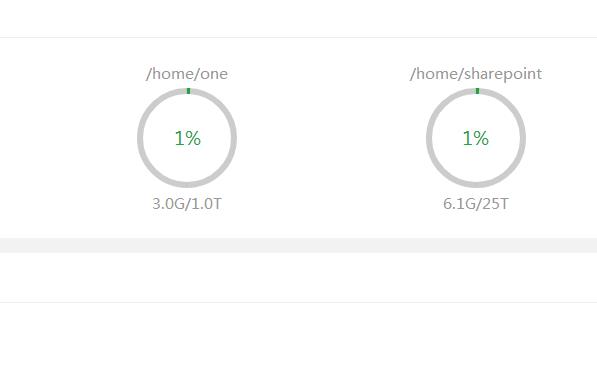
sharepoint可以创建网站,每个有25T,使用和onedrive一样

cloudreve支持sharepoint的修改版
https://hostloc-workers.ikyomon.com/thread-745894-1-1.html


cloudreve+aira2的docker镜像 jialezi/cloudreve:sp
分别建容器可能更docker,我打包起来只是为了放在az的webapp

Aria2配置目录: /root/.aria2
Aria2下载目录: /home/aria2
cloudreve目录: /root/cloudreve
启动docker后,docker logs cloudreve获取运行日志
日志会显示Aria2配置信息和cloudreve信息
  1. root@debian:~# docker run -idt -p 5212:5212 -p 6800:6800 -v ${PWD}/aria2:/home/aria2 --name cloudreve jialezi/cloudreve:sp
  2. 17eb75a9fe3f1e53d48de9a614145f8052ea5e5d41f4778c305155b4f48706c9
  3. root@debian:~# docker logs cloudreve
  4. [信息] Aria2 启动中...
  5. Aria2 简单配置信息:
  6. 地址    : 172.xx.1x5.xx
  7. 端口    : 6800
  8. 密码    : 21bd76434a4f7221403c
  9. 目录    : /home/aria2

  10. [信息] Aria2 启动成功 !
  11.    ___ _                 _                    
  12.   / __\ | ___  _   _  __| |_ __ _____   _____
  13. / /  | |/ _ \| | | |/ _ | '__/ _ \ \ / / _ \   
  14. / /___| | (_) | |_| | (_| | | |  __/\ V /  __/
  15. \____/|_|\___/ \__,_|\__,_|_|  \___| \_/ \___|

  16.    V3.1.1  Commit #27bf8ca  Pro=false
  17. ================================================
  18. [Info]    2020-09-20 21:56:24 初始化数据库连接
  19. [Info]    2020-09-20 21:56:24 开始进行数据库初始化...
  20. [Info]    2020-09-20 21:56:24 初始管理员账号:[email protected]
  21. [Info]    2020-09-20 21:56:24 初始管理员密码:7BMWLJBv
  22. [Info]    2020-09-20 21:56:25 数据库初始化结束
  23. [Info]    2020-09-20 21:56:25 初始化任务队列,WorkerNum = 10
  24. [Info]    2020-09-20 21:56:25 初始化定时任务...
  25. [Info]    2020-09-20 21:56:25 当前运行模式:Master
  26. [Info]    2020-09-20 21:56:25 开始监听 :5212
  27. root@debian:~#
复制代码


补充:

其他已可以方便切换sharepoint的程序

onemanager可以支持sharepoint
https://github.com/qkqpttgf/OneManager-php

oneindex-j可以支持sharepoint
https://github.com/jialezi/oneindex-j

yukidrive可以支持sharepoint(应该是首先支持sharepoint的程序)
https://github.com/YukiCoco/YukiDrive

理论上把api里的me改成sites/{site-id}都可以切换到sharepoint
27#
发表于 2020-9-25 16:31:39 | 只看该作者
hjvn2211445 发表于 2020-9-25 14:36
先试试挂载onedrive能用吗?
我记得遇到过这样的,忘记了哪里错了,后来重新弄一次就好了 ...

onedrive能用~~那我再重新来一次吧
26#
 楼主| 发表于 2020-9-25 14:36:34 | 只看该作者
CHL 发表于 2020-9-25 00:46
大佬,请问上传文件报错这个,大概是我哪里没搞好呢

先试试挂载onedrive能用吗?
我记得遇到过这样的,忘记了哪里错了,后来重新弄一次就好了
25#
发表于 2020-9-25 00:46:00 | 只看该作者


大佬,请问上传文件报错这个,大概是我哪里没搞好呢
24#
 楼主| 发表于 2020-9-23 19:34:08 | 只看该作者
ecomet 发表于 2020-9-23 17:08
为什么获取不了siteid呢? 信息输入完之后点击按钮 什么都没有发生

一定有哪个地方弄错了
23#
发表于 2020-9-23 17:08:43 | 只看该作者
为什么获取不了siteid呢? 信息输入完之后点击按钮 什么都没有发生
22#
发表于 2020-9-23 14:50:42 来自手机 | 只看该作者
Gome 发表于 2020-9-23 14:01
我已经用rclone魔改版挂载同济sp成功啦

大佬求方法
21#
发表于 2020-9-23 14:01:57 | 只看该作者
我已经用rclone魔改版挂载同济sp成功啦

20#
发表于 2020-9-23 12:45:16 来自手机 | 只看该作者
233,我的 YukiDrive 鸽了有一段时间了。
您需要登录后才可以回帖 登录 | 注册

本版积分规则

Archiver|手机版|小黑屋|全球主机交流论坛

GMT+8, 2025-12-21 04:02 , Processed in 0.108651 second(s), 13 queries , Gzip On, MemCache On.

Powered by Discuz! X3.4

© 2001-2023 Discuz! Team.

快速回复 返回顶部 返回列表